Small business marketing
E-commerce Email Marketing: The Flows Every Online Store Needs
How to run email marketing for an online store: welcome, abandoned cart, post-purchase and win-back flows, timing, discounts and the metrics that matter.
- Last reviewed
- By l3ttr.com
- 8 min read
Email is one of the few marketing channels an online store fully controls. You do not rent the audience from a social platform, and you can reach people at the moments that matter: right after they sign up, when they leave something in their cart, and after they buy. This guide walks through the core automated flows for a store, what to put in each one, sensible timing, how to use discounts without training customers to wait for them, and which numbers to watch. At the end, we show how to set this up in MailerLite, using only features we checked on MailerLite’s own pages.
Why automated flows come first
Most stores start by sending occasional promotional newsletters. Those have their place, but the emails that tend to do the steady work are automated flows: messages triggered by something a shopper did. They reach people when interest is highest, and once built, they run in the background while you focus on products and customers.
Five flows cover most of what a small store needs:
Welcome
Introduces your store to new subscribers and gives them a reason to make a first purchase.
Abandoned cart / checkout
Reminds shoppers who added items or started checkout but did not finish.
Post-purchase
Confirms, reassures, helps people use what they bought and asks for feedback.
Win-back
Reaches past customers who have not ordered in a while.
Product launch
Builds interest before a new product or collection goes live, then announces it.
The welcome flow
Someone who just joined your list is curious about your store but has not bought yet. The welcome flow turns that curiosity into trust.
What to include:
- Email 1 (immediately): Thank them, deliver anything you promised on the sign-up form (a discount code, a size guide, a lookbook), and say briefly what kind of emails to expect.
- Email 2 (a couple of days later): Your story or what makes the store different: how products are made, where they come from, who is behind it.
- Email 3 (a few days after that): Bestsellers or a starter collection, plus social proof such as genuine customer reviews.
- Optional email 4: A reminder that a welcome offer is about to expire, if you used one.
Exit people from the flow once they buy, so a new customer does not receive “here is 10% off your first order” after they have already ordered. For a deeper look at structure and copy, see our welcome email sequence guide.
Abandoned cart and abandoned checkout
These are two slightly different situations. An abandoned cart is when a shopper adds items but never reaches checkout. An abandoned checkout is when they start checking out (often entering their email) and then leave. Checkout abandoners are usually closer to buying.
What to include:
- A clear reminder of what they left, with product images, names and prices.
- One obvious button back to their cart.
- Answers to common hesitations: shipping costs and times, returns policy, sizing help, how to contact you.
- In a later message, social proof or a gentle note that stock may be limited, only if that is true.
Keep the tone helpful rather than pushy. “Still thinking it over? Here is what you picked” works better than guilt.
The post-purchase flow
After someone buys, the goal shifts from selling to making them glad they did. A good post-purchase flow reduces support requests and sets up the second order.
What to include:
- Shortly after the order: A thank-you that goes beyond the transactional receipt. Set expectations about delivery.
- Around delivery: How to use, care for or get the most from the product. Tutorials, recipes, sizing tips, setup steps.
- A week or two after delivery: Ask for a review or feedback. Make it one click to start.
- Later: Suggest related or complementary products, or a refill reminder if your products run out on a predictable schedule.
Order confirmations and shipping notifications are usually sent by your store platform as transactional email. Your marketing flow should complement those messages, not duplicate them.
The win-back flow
Customers drift away for ordinary reasons: they did not need anything, forgot about you, or found an alternative. A win-back flow checks in with people who have not ordered for longer than your typical buying cycle.
What to include:
- A friendly “we miss you” message showing what is new since their last order.
- A reason to return: new arrivals, a restock of something they bought, or an offer.
- A final message asking whether they still want to hear from you, with an easy way to update preferences or unsubscribe.
How long is “lapsed” depends on what you sell. A coffee subscription shop might consider two months quiet; a furniture store might wait well over a year. Look at the gap between first and second orders in your own data and set the trigger from there.
Product launch emails
Launches are campaigns rather than always-on automations, but they benefit from planning like a flow.
A simple hypothetical sequence for a new collection:
- Teaser (one to two weeks before): A glimpse of what is coming, with an option to join an early-access group.
- Early access (launch day, for the group): First look and first chance to buy.
- Public launch: The full announcement to your list.
- Follow-up (a few days later): Styling ideas, customer photos, or a reminder for people who clicked but did not buy.
Segment where you can. People who bought from a related category are a natural audience for the teaser. Our segmentation guide explains how to build those groups.
Timing at a glance
These are starting points, not rules. Test against your own store and adjust.
- Welcome
- Email 1 immediately; then every 2 to 3 days for 3 to 4 emails
- Abandoned cart
- First reminder within a few hours; optional second about a day later
- Abandoned checkout
- First reminder within an hour or a few hours; follow-up within 1 to 2 days
- Post-purchase
- Thank-you soon after ordering; usage tips around delivery; review request 1 to 2 weeks after delivery
- Win-back
- Once a customer passes your typical reorder gap; 2 to 3 emails spaced about a week apart
- Product launch
- Teaser 1 to 2 weeks before; launch day; follow-up a few days later
Timings are editorial suggestions, not benchmarks. Your products, prices and buying cycle should shape the final schedule.
Using discounts thoughtfully
Discounts are easy to add and hard to remove. If every email carries a code, customers learn to wait for one, and your margins shrink. A few habits help:
- Lead with value, not price. Many emails in these flows (welcome story, usage tips, review requests) need no discount at all.
- Use incentives where they change behavior. A first-order welcome offer or a win-back offer for lapsed customers often makes more sense than a discount in the first cart reminder.
- Vary the incentive. Free shipping, a gift with purchase, or early access can work as well as a percentage off, and protect perceived value.
- Set expiry dates and limits. Single-use or time-limited codes are harder to share and give a real reason to act.
- Check your numbers. Make sure the discount still leaves you a profit after product, shipping and payment costs.
Growing your list on a store
Every flow above depends on having subscribers. On a store, the most common places to collect them are:
- A pop-up or slide-in offering something useful, such as a first-order code or a guide. Delay it until the visitor has had time to look around, and make it easy to close.
- An embedded form in the footer and on blog or content pages.
- A checkbox at checkout inviting buyers to receive marketing emails.
- Product-specific sign-ups, such as “notify me when back in stock.”
Whatever the format, ask for consent clearly. Say what people will receive and how often, do not pre-tick marketing boxes where local law requires active consent, and keep proof of when and how each person signed up. For more tactics, see how to build an email list.
Metrics that matter for a store
Open rates are a weak signal these days because of privacy features in email apps. For a store, focus on numbers tied to buying:
- Revenue per email (or per recipient): Revenue attributed to a campaign or flow, divided by the number of emails delivered. This lets you compare a small, targeted send with a large one fairly.
- Click rate: Still a useful sign of interest in the content and offer.
- Conversion rate: The share of recipients (or clickers) who placed an order.
- Repeat purchase rate: The share of customers who order more than once. Post-purchase and win-back flows exist to move this number.
- Unsubscribe and complaint rates: If these rise, you are sending too often or to the wrong people.
Keep in mind that attribution windows differ between tools, so revenue reported by your email platform may not match your store dashboard exactly. Our email marketing metrics guide goes deeper on each measure.
Doing this with MailerLite
MailerLite connects to e-commerce platforms including Shopify and WooCommerce, and lets you build the flows above in its visual automation builder.
Shopify
The Shopify integration syncs customer names, emails and marketing consent status in both directions, stores order count and total spent as subscriber fields, and tracks orders placed after a click in a MailerLite campaign or automation as email revenue. A products element pulls product images, descriptions and prices into campaigns and landing pages.
WooCommerce
For WooCommerce, MailerLite publishes an official plugin, “MailerLite – WooCommerce integration,” on wordpress.org. It adds a subscribe checkbox at checkout (with options for its label, position and pre-selection), syncs purchase data such as order count and total spent to subscriber fields, and imports products for use in campaigns.
Plans and practical notes
MailerLite’s e-commerce page lists e-commerce integrations among the features on its Free plan, and its help center says the e-commerce triggers can be used as soon as a supported store is connected. The practical limit is automation volume: the Free plan allows 3 active automations, Comfort allows 50, and Power adds multiple triggers per automation. A store running welcome, cart, checkout, post-purchase and win-back flows will outgrow the Free plan’s automation limit. Check the current MailerLite pricing before you plan around a specific tier.
One more setup tip from MailerLite’s help center: if you use its abandoned cart or checkout flows, turn off the equivalent emails in your store platform, so shoppers do not get two sets of reminders.
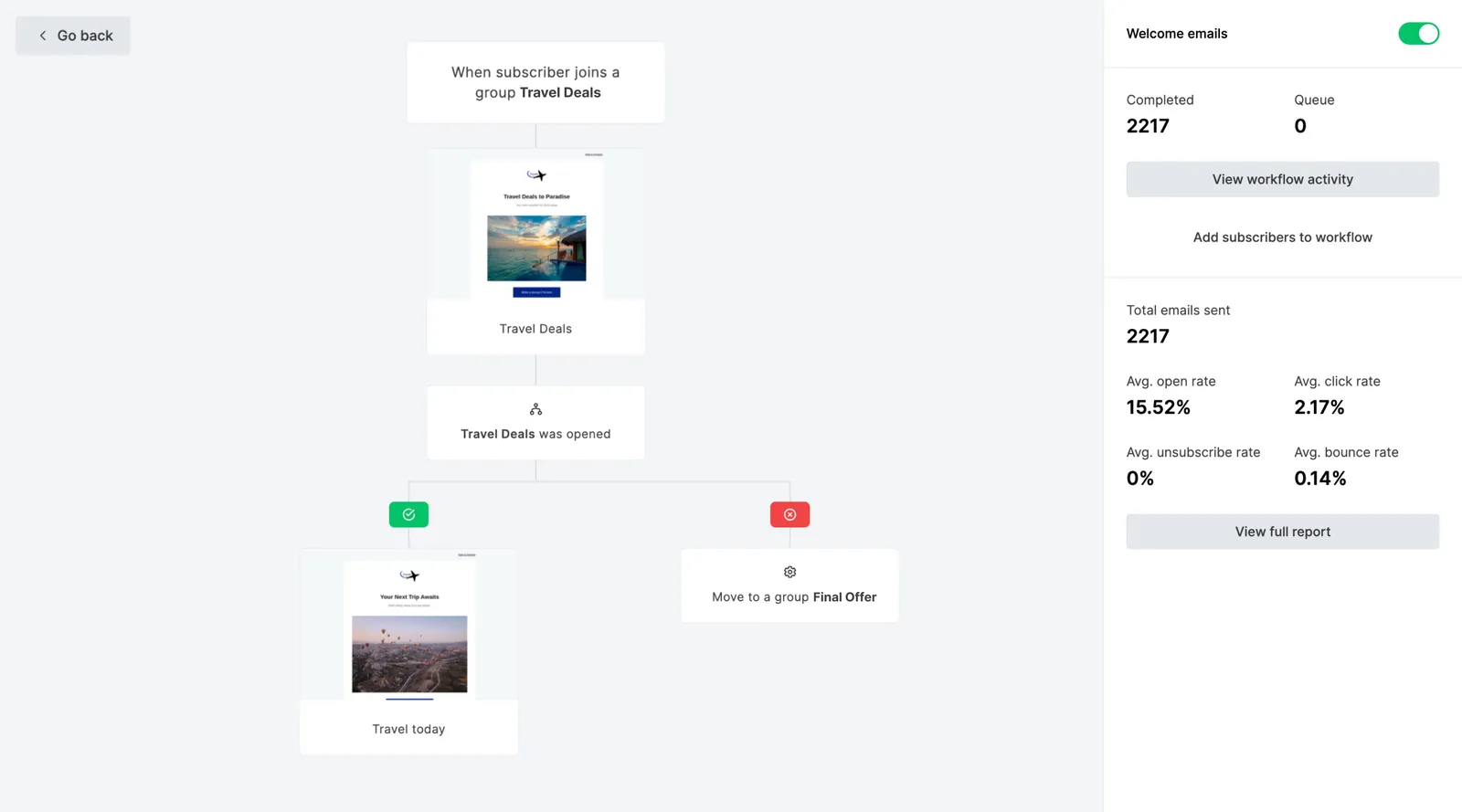
Set up your first store flow
MailerLite has a free plan with e-commerce integrations, so you can connect your store and build a welcome or abandoned cart flow before deciding on a paid plan.
Affiliate link: we may earn a commission. Disclosure
Frequently asked questions
Which e-commerce email flow should I set up first?
Start with a welcome flow, because every new subscriber passes through it. Add an abandoned cart or abandoned checkout flow next, then a post-purchase flow. Win-back and launch emails can come later once you have some order history to work with.
Do I have to offer a discount in abandoned cart emails?
No. Many shoppers leave for reasons a reminder can fix on its own: they got distracted, wanted to compare, or had a question about shipping. Try a plain reminder first, and keep any incentive for a later message or for specific products, so people do not learn to abandon carts to get a code.
Can I email everyone who buys from my store?
Order confirmations and shipping updates are transactional and can go to every buyer. Marketing emails, including most automated flows, should go to people who have agreed to receive them. Rules vary by country, so offer a clear opt-in at checkout and on your sign-up forms. Our GDPR guide covers consent in more detail.
Does MailerLite connect to Shopify and WooCommerce?
Yes. MailerLite has integrations for both, and its help center lists six e-commerce automation triggers, including abandoned cart, abandoned checkout and purchase-based triggers, as supported for Shopify and WooCommerce stores.
Keep reading
Email automation
Welcome Email Sequence: A Practical Template with Timing
Why welcome emails matter, plus a five-email sequence with timing, purpose, and subject lines for each, writing tips, and how to set it up in any tool.
7 min read
Small business marketing
Email Marketing for Small Business: A Practical Starter Playbook
A practical email playbook for cafés, salons, trades, studios and consultants covering what to send, a monthly plan, collecting emails, and automations.
8 min read
Email marketing tools
MailerLite Review: Features, Pricing, Pros and Cons
An independent MailerLite review: what it does, who it suits, the 2026 plan changes, real limitations, and when another email platform is the better choice.
8 min read