Independent review
MailerLite Review: Features, Pricing, Pros and Cons
An independent MailerLite review: what it does, who it suits, the 2026 plan changes, real limitations, and when another email platform is the better choice.
- Last reviewed
- By l3ttr.com
- 8 min read
MailerLite is an email marketing platform that combines newsletters, automation, signup forms, landing pages and simple websites in one tool. It has a reputation for being approachable, and its pricing starts low, so it often comes up when small businesses look for something simpler than Mailchimp or cheaper than ActiveCampaign.
This review explains what MailerLite does, what changed with the June 2026 plan update, where it falls short, and who should look elsewhere. All product details below were checked against MailerLite’s official website on the date shown above. Our opinions are labelled as such.
Overview
- What it is
- Email marketing platform with automation, forms, landing pages and websites
- Plans
- Free, Comfort, Power, Enterprise
- Free plan
- 250 subscribers, 2,500 emails/month, 2 seats
- Paid plans from
- $12/month (Comfort), $25/month (Power)
- Pricing model
- Based on the number of active subscribers
- Launched
- 2010
Sources: MailerLite pricing, About MailerLite. Prices in USD at the smallest list size.
What is MailerLite?
MailerLite is software for collecting email subscribers and sending them emails, either as one-off campaigns (a newsletter, an announcement) or as automated sequences triggered by what subscribers do (joining a list, buying a product).
According to its About page, the company started as a web design agency in 2005, and MailerLite itself launched in 2010. It describes itself as a fully remote company. Over the years it has grown beyond email: the current product also includes landing pages, a website and blog builder, pop-ups, surveys, and tools for selling digital products and paid newsletters through Stripe.
Who is MailerLite designed for?
MailerLite is aimed at small and growing businesses, creators and organizations that want professional email marketing without a steep learning curve. Typical users include:
- Freelancers and service businesses sending a monthly newsletter to clients and prospects.
- Creators and writers running a newsletter, sometimes a paid one.
- Online shops on Shopify or WooCommerce that want welcome and follow-up emails.
- Nonprofits that keep supporters updated. MailerLite lists a 30% nonprofit discount.
Main features
Email editors
Drag & drop, a simple editor and a custom HTML editor, with 70+ content blocks.
Automation builder
A visual workflow builder with ready-made templates.
Forms and pop-ups
Embedded forms and pop-ups, including teaser and promotion styles.
Landing pages and websites
Hosted landing pages and a website builder that includes blogging.
Audience tools
Groups, segments, custom fields and dynamic content.
Selling
Digital products, bookings and paid newsletters via Stripe.
Testing and timing
A/B testing on every plan and Smart Sending to optimize send times.
AI tools (HeyLite Intelligence)
AI writing, subject lines, HTML emails and landing pages, Smart sending, and an MCP server for ChatGPT, Claude and Cursor.
Source: MailerLite features. Some features are limited to paid plans. See the pricing section below.
Email campaigns and newsletters
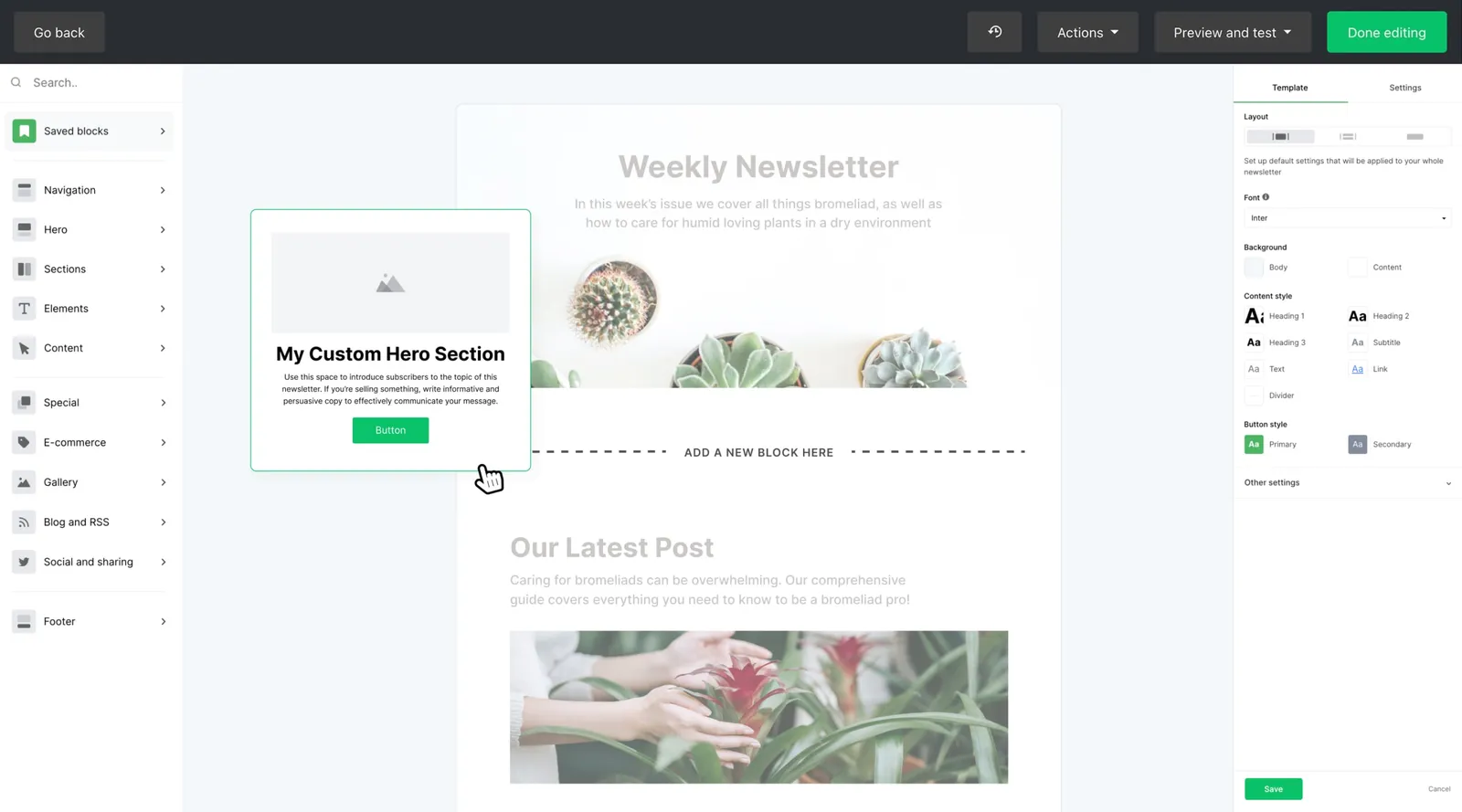
Most people use MailerLite for regular campaigns, such as a weekly newsletter or a product announcement. There are three ways to build an email:
- Drag & drop editor: build a designed email from blocks (text, images, buttons, product blocks, countdown timers, surveys and more). MailerLite says it offers over 70 content blocks.
- Simple editor: for plain, letter-style emails that read like a personal note. Many newsletter writers prefer this look.
- Custom HTML editor: for teams with their own coded templates. Since June 2026 it is also available on the Free plan, according to MailerLite’s free-plan update FAQ.
Campaigns can be A/B tested on subject line, sender name or send time on all plans, including Free. RSS campaigns, which turn new blog posts into emails automatically, and auto resend to people who didn’t open are reserved for paid plans.
Automation
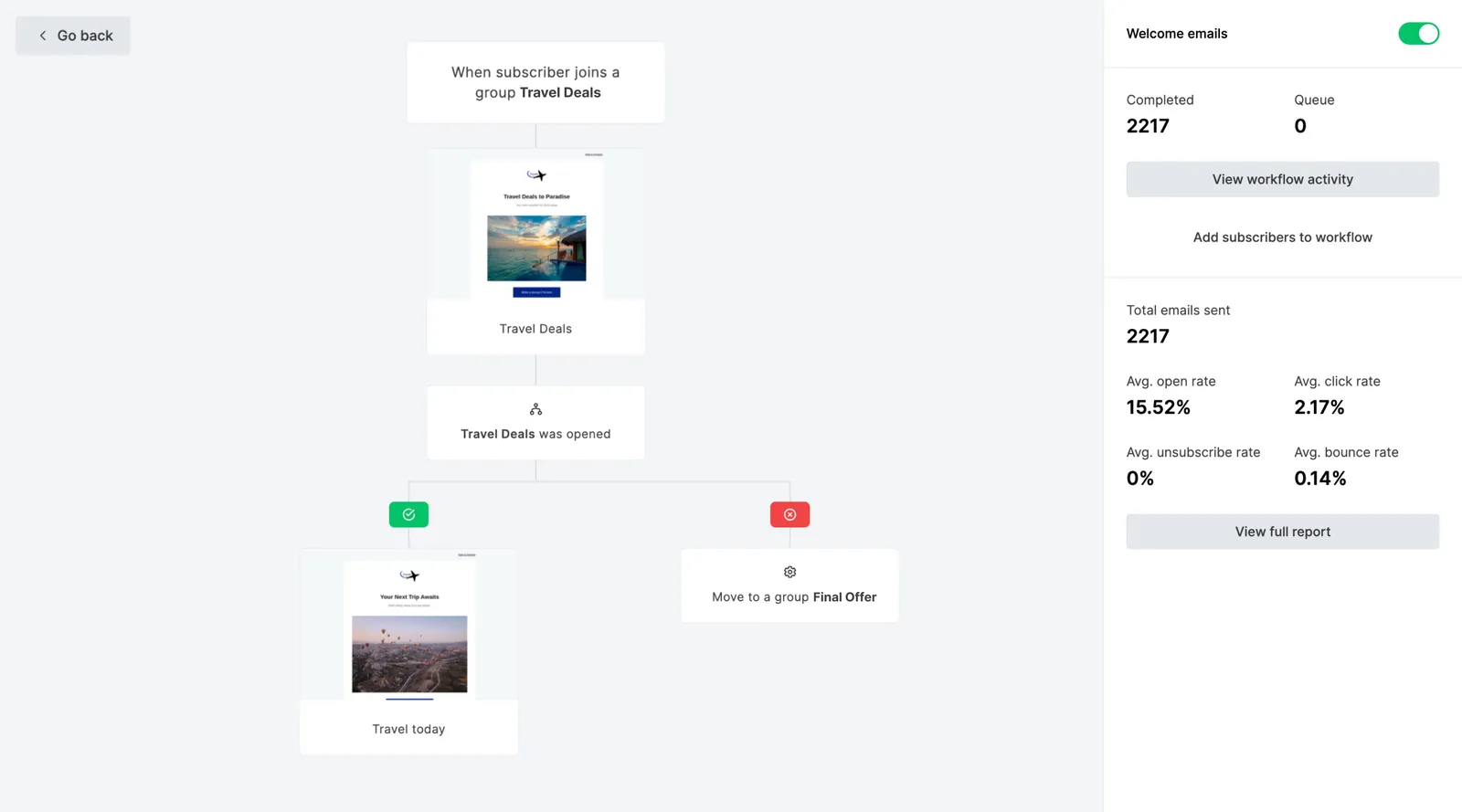
MailerLite’s automation builder is a visual canvas. You choose a trigger, such as a subscriber joining a group or completing a form, and then add emails, delays and conditions. Templates cover common workflows such as a welcome series.
The plan limits matter here:
- Free: 3 active automations (up to 5 steps each).
- Comfort: 50 active automations (up to 100 steps each).
- Power: unlimited automations, and it is the only plan that offers multiple triggers per workflow.
If you are new to automation, start with a welcome sequence. Our guide to writing a welcome email sequence includes a ready-to-adapt plan.
Landing pages, forms and websites
MailerLite includes the tools to collect subscribers, not just email them:
- Embedded forms for your existing website.
- Pop-ups, including teaser and “spin-the-wheel” promotion styles.
- Hosted landing pages, useful when you don’t have a website or want a dedicated page for a lead magnet.
- A website builder with blog support, enough for a simple site.
On the Free plan you get 3 forms, 1 landing page and 1 website (up to 5 pages). Comfort raises this to 10 forms and 10 landing pages and websites combined, and Power removes those limits. Paid plans also let you remove MailerLite branding.


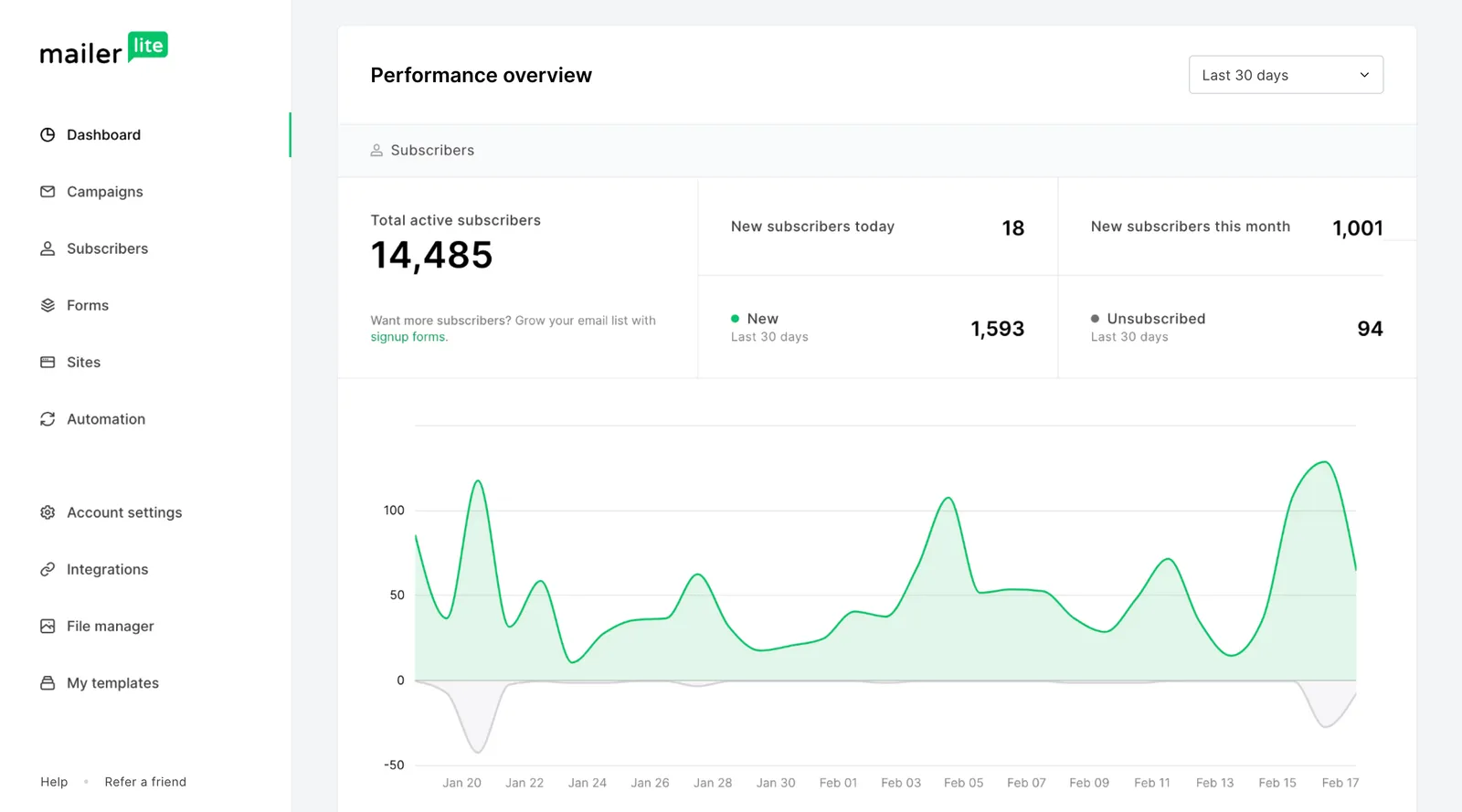
Audience management
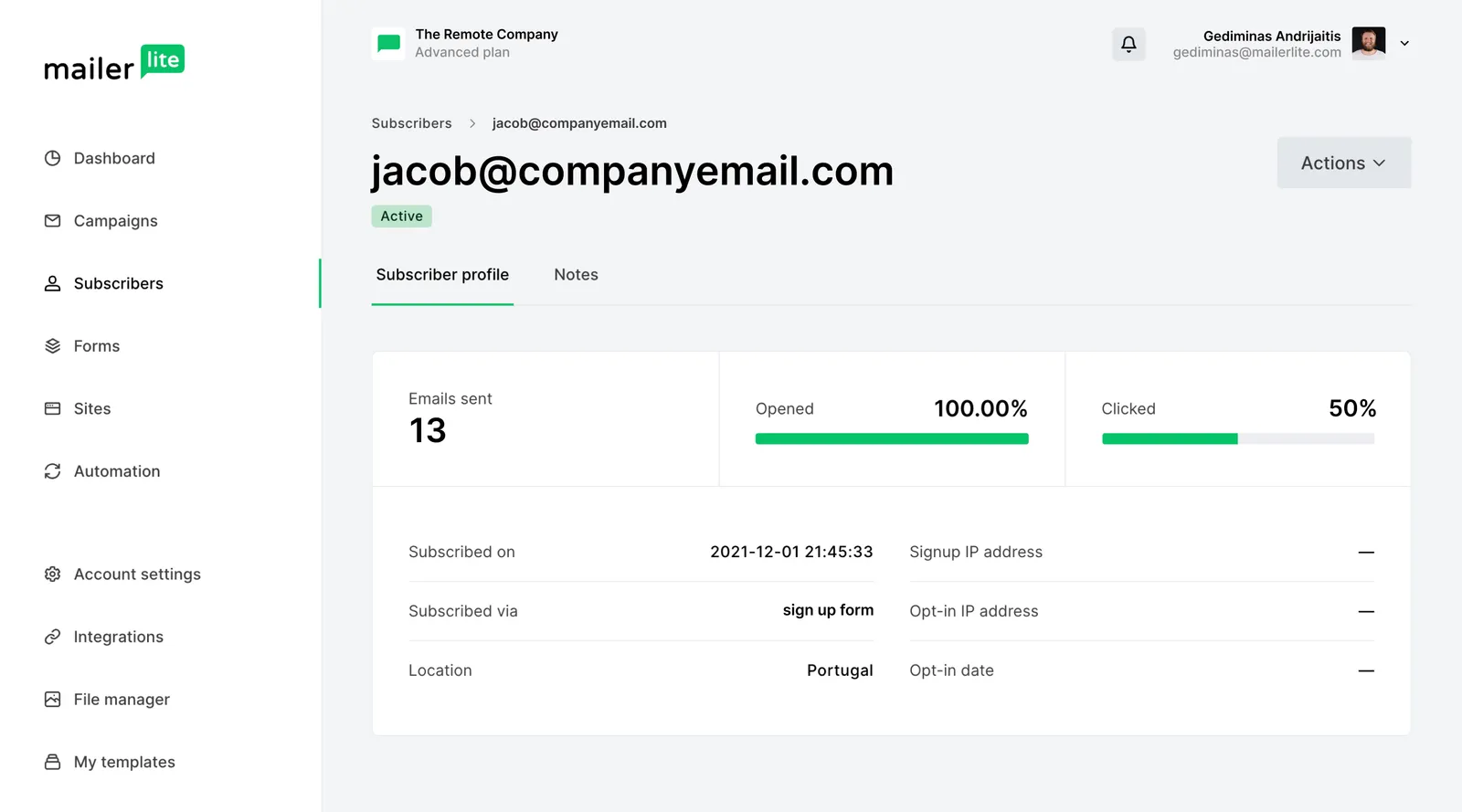
Subscribers are organized with groups (lists you add people to, such as “Customers” or “Workshop attendees”), segments (saved filters based on fields or behavior, which update automatically), and custom fields (data such as first name or city). Dynamic content shows different blocks of one email to different subscribers.
A preference center, where subscribers choose which emails they want, is a paid-plan feature. For ideas on organizing a list, see our guide to email list segmentation.
Integrations and e-commerce
MailerLite’s features page lists 150+ integrations, including Shopify and WooCommerce for online stores. Through Zapier you can connect thousands of other apps. There is also a documented REST API for developers.
For selling, MailerLite connects with Stripe to take one-time or recurring payments for digital products, bookings and paid newsletter subscriptions. Paid newsletters require a paid plan.
AI tools: HeyLite Intelligence
MailerLite’s AI features are grouped under the name HeyLite Intelligence. Some are included on every plan, others need a paid plan, and a few are still in beta. According to MailerLite’s HeyLite Intelligence overview, the toolkit includes:
| Criteria | What it does | Plans |
|---|---|---|
| AI writing assistant | Writes text from a short prompt in the email, landing page and pop-up editors, in the tone you choose | Comfort, Power (most credits on Power) |
| AI subject line generator | Suggests several subject lines for a campaign | All plans (fewer credits on Free) |
| AI-generated HTML emails (beta) | Builds or edits a campaign in the custom HTML editor from a plain-English description | Comfort, Power |
| AI-generated landing pages | Creates several landing page options from a short questionnaire about your business | Comfort, Power (one try on Free) |
| Smart sending | Delivers each campaign at the time each subscriber is most likely to engage | Comfort, Power |
| HeyLite insights (beta) | Recommendations on re-engagement, send times and deliverability | Comfort, Power (limited rollout) |
| MCP server | Connects your account to AI assistants such as ChatGPT, Claude and Cursor | All plans, including Free |
Connecting MailerLite to ChatGPT, Claude or Cursor
The MCP server stands out because it works on every plan, Free included. You connect your MailerLite account to an AI assistant you already use in a few clicks, without code or API keys. You then work with your account through plain-language prompts. For example, you can ask it to find subscribers who haven’t clicked in recent campaigns and draft a re-engagement campaign or automation for them, compare the performance of your newsletters, or break down your subscribers by country.
The AI tool may have its own requirements: MailerLite’s MCP setup guide notes that Claude needs a Pro, Max, Team or Enterprise plan, while ChatGPT and Cursor work on free or paid plans. MailerLite says it doesn’t send your data to the AI tool by itself; the tool only accesses your account when you give it a command.
Account approval
MailerLite checks every new account, but the process is automatic and part of signup. Accounts are approved or rejected straight away, so there is no waiting period before you can send. Under MailerLite’s terms of service, some industries and types of content are not permitted.
Pricing overview
MailerLite charges by the number of active subscribers, not by features. In MailerLite’s own words, “pricing is based on usage, not feature access.”
| Criteria | Free | Comfort | Power | Enterprise |
|---|---|---|---|---|
| Price | Free | From $12/mo | From $25/mo | Custom quote |
| Subscribers | Up to 250 | Tiered by list size | Tiered by list size | Lists of 200,000+ subscribers |
| Emails | 2,500/month | 10× subscriber tier | Unlimited (fair use) | Custom |
| User seats | 2 | 3 | Unlimited | Unlimited |
| Support | Knowledge base | Email support | Live chat and email support | Priority + success manager |
New accounts get a 14-day free trial of premium features, including full support with live chat, so you can try the paid tools before choosing a plan.
For a deeper explanation of tiers, discounts and what happens when you outgrow a limit, read our MailerLite pricing guide.
Pros and cons
What we like
- Clean, approachable interface that suits non-specialists
- Forms, landing pages and a website builder included
- A/B testing and the custom HTML editor available even on Free
- Low entry price for paid plans, plus annual and nonprofit discounts
- Built-in selling of digital products and paid newsletters via Stripe
- AI subject lines and an MCP server for ChatGPT, Claude and Cursor on every plan
What to watch out for
- Free plan is now small: 250 subscribers and 2,500 emails/month
- Free plan support is limited to the knowledge base
- Multiple automation triggers only on the Power plan
- No built-in sales CRM or deal pipeline
- Most HeyLite AI tools need a paid plan, and some are still in beta
Limitations to be aware of
- The Free plan shrank in June 2026. Many articles still quote the previous limits of 500 subscribers and 12,000 emails a month. The current free limit is 250 subscribers. If you go over a limit, MailerLite pauses sending, automations and new signups until you upgrade or reduce your list.
- Support depends on your plan. Free users get the knowledge base. Comfort adds email support, and Power adds live chat.
- Automation is capable, not enterprise-grade. For lead scoring, a sales CRM or complex branching across channels, platforms such as ActiveCampaign are built for that work.
- Some business types are not allowed. MailerLite’s terms list prohibited content categories, so check them before migrating.
Alternatives
MailerLite is one good option among several. Briefly:
- Mailchimp has a wider marketing suite, but its Free plan is tighter (250 contacts and 500 sends a month).
- Kit (formerly ConvertKit) offers a free plan for up to 10,000 subscribers, aimed at creators, though automations need a paid plan.
- Brevo charges mainly by emails sent rather than contacts, which can suit large, rarely emailed lists.
- ActiveCampaign goes much deeper on automation and CRM, at a higher price and with no free plan.
Our MailerLite alternatives page compares them in detail.
Who should consider MailerLite?
- You want a capable email platform you can learn in an afternoon.
- You need forms and landing pages but don’t want to pay for separate tools.
- Your list is small to mid-sized and you want predictable, subscriber-based pricing.
- You want to sell a digital product or paid newsletter without extra software.
Who should consider another platform?
- You want to stay free with more than 250 subscribers. Kit’s free plan is far larger.
- Your sales team needs a CRM with deals and lead scoring. Look at ActiveCampaign.
- You have a large list that you email rarely. A volume-based tool such as Brevo may cost less.
See MailerLite for yourself
The Free plan is the easiest way to test the editor, forms and automation builder on your own content.
Affiliate link: we may earn a commission. Disclosure
Final recommendation
Frequently asked questions
Is MailerLite free?
MailerLite has a permanent Free plan. Since June 2026 it covers up to 250 subscribers and 2,500 emails per month, with two user seats and knowledge-base support. Paid plans unlock higher limits and extra features. See our pricing guide.
Does MailerLite approve new accounts?
Yes, but it happens automatically during signup. Accounts are approved or rejected straight away, so there is no waiting period before your first send. MailerLite checks new accounts to protect its sending reputation, which in turn helps deliverability for all of its customers. Answer the signup questions honestly and be clear about how you collect subscribers.
Does MailerLite have AI features?
Yes. MailerLite groups its AI tools under the name HeyLite Intelligence. The AI subject line generator and the MCP server (which connects MailerLite to ChatGPT, Claude or Cursor) are available on every plan, including Free. The AI writing assistant, AI-generated HTML emails and landing pages, and Smart sending need a paid plan. See the AI tools section for the details.
Does MailerLite have a free trial?
Yes. MailerLite gives new accounts a 14-day free trial of premium features, including full support with live chat. After the trial you can stay on the Free plan or choose a paid plan.
What happened to the Growing Business and Advanced plans?
MailerLite renamed them in June 2026: Growing Business became Comfort and Advanced became Power. According to MailerLite’s update FAQ, existing paid accounts move to the new plans gradually, at their next renewal.
Can I move my list from Mailchimp to MailerLite?
Yes. You can export your contacts from most email platforms as a CSV file and import them into MailerLite. Only import people who gave you permission to email them, and be ready to explain where your list came from. MailerLite’s terms require permission-based lists.
Keep reading
Email marketing tools
MailerLite Pricing Explained: Plans, Limits and Discounts
How MailerLite pricing works after the June 2026 plan update: the Free, Comfort, Power and Enterprise plans, what drives the price, and how to estimate your cost.
4 min read
Email marketing comparisons
MailerLite Alternatives: Brevo, Mailchimp, Kit and ActiveCampaign
A fair comparison of MailerLite with Brevo, Mailchimp, Kit and ActiveCampaign: pricing models, free plans, strengths, and which tool suits which kind of business.
4 min read
Email marketing tools
Getting Started with MailerLite: A Beginner’s Setup Guide
A step-by-step beginner’s guide to MailerLite: create your account, set up your audience, build a signup form, and send your first campaign.
6 min read